Purpose
This guide explains how an X-Road member organization should generate a Certificate Signing Request (CSR) for use in the Security Server. In practice, members typically need CSRs for:
- signing keys, used to identify the member organization and sign exchange messages
- authentication keys, used to establish secure TLS connections between Security Servers
The standard workflow uses the Security Server management interface. For teams using a console-based helper, NRDEX also provides a downloadable Python script:
Prerequisites
Before generating a CSR:
- the operator should have the
Security Officerrole - the relevant security token should be available
- the token should be logged in from the
KEYS AND CERTIFICATESview using the correct PIN - the member should know which approved Certification Authority must sign the certificate
- the required Distinguished Name fields should be confirmed with the governing authority or CA
Generate a CSR for a SIGN key
SIGN keys are tied to the member or subsystem and are used to provide message-level trust and non-repudiation.
- Download the CSR Generation script.
- Move to xroad user
- run the python script
- Provide required arguments
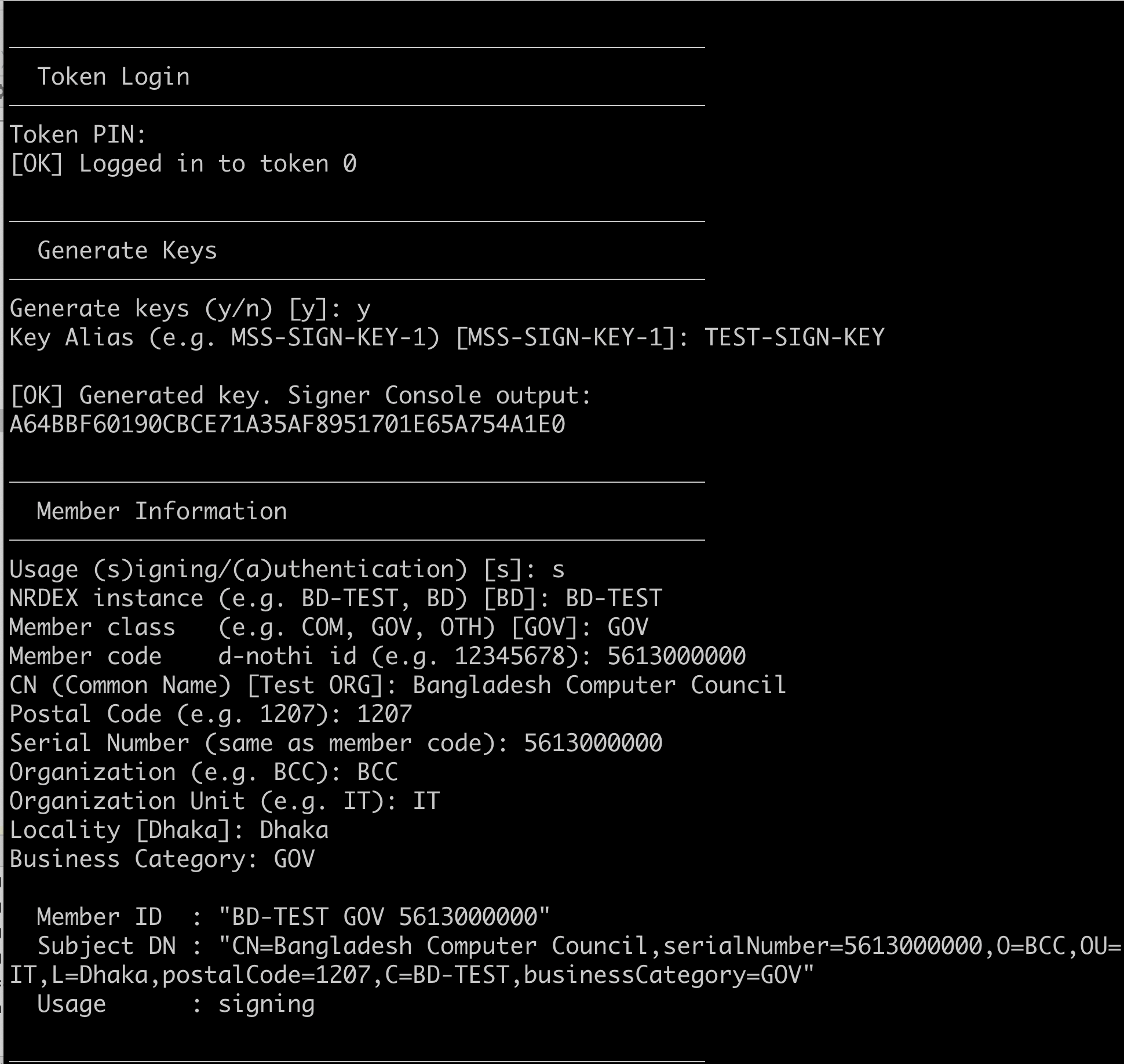
- After generating CSR, attached it to available keys. You can attach it to last entry of key.
- Then a CSR is generated and saved to specific folder.
- use the CSR to generate certificate using ca portal.
Generate a CSR for an AUTH key
AUTH keys are used to authenticate the Security Server itself and establish secure server-to-server transport.
- Download the CSR generation script.
- Move to xroad user
- run the python script
- provide required arguments
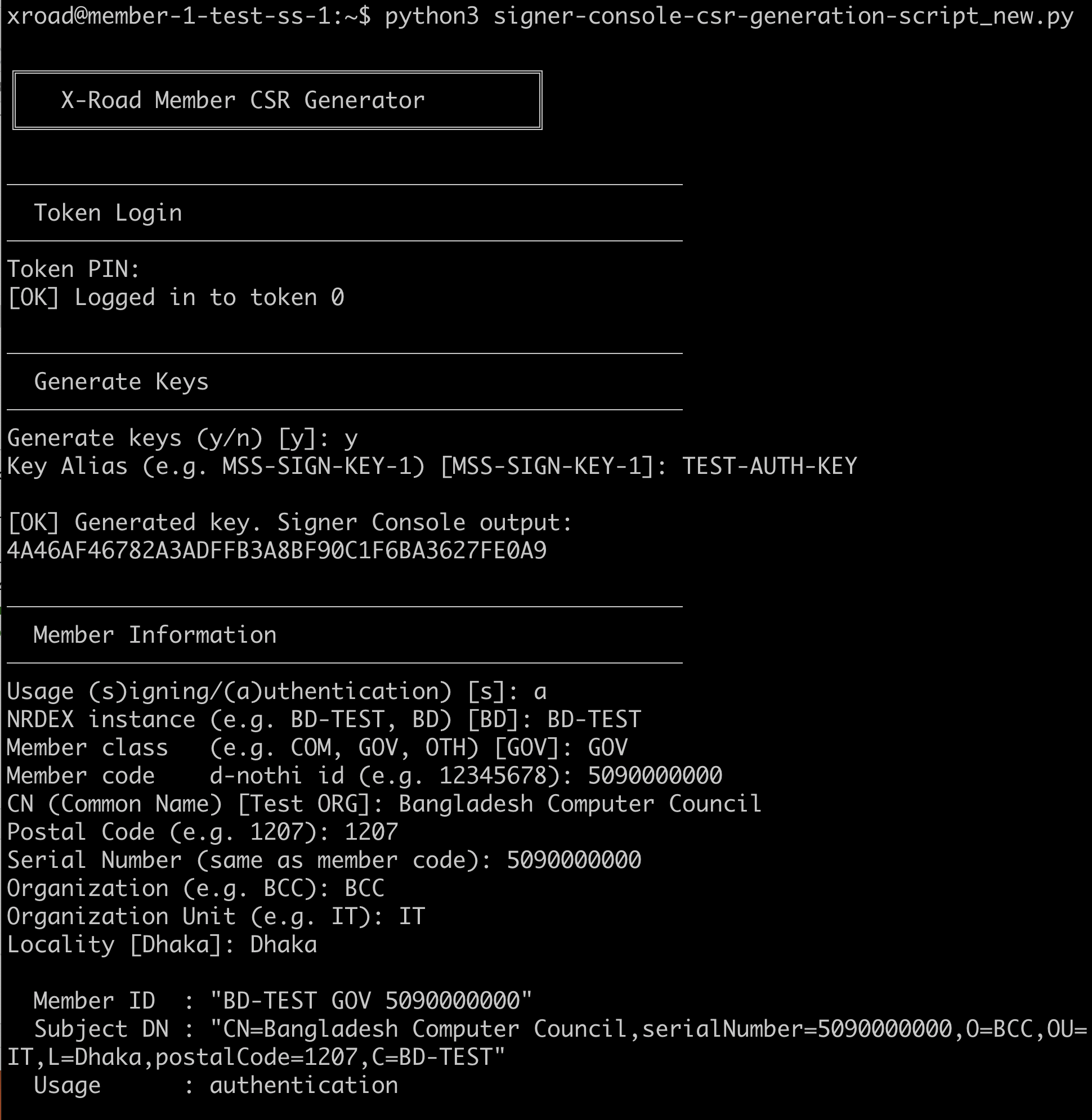
- After generating CSR, attached it to available keys. You can attach it to last entry of key.
- Then a CSR is generated and saved to specific folder.
- use the CSR to generate certificate using ca portal.
What happens next
After the CA signs the CSR:
- import the returned certificate into the Security Server
- complete any required registration or approval step in the ecosystem
- verify that the key and certificate appear in the expected state
- proceed with member onboarding or service publication
Operational notes
- Keep CSR files and returned certificates associated with the correct member, subsystem, and environment.
- Use separate handling for test and production certificates.
- Confirm the exact Distinguished Name requirements before generating the request to avoid rework.
- Prefer approved automation for renewal and rotation when supported.